
AI Image Enhancer · Free Online
AI Image Enhancer — Enhance & Upscale Photos Free
Enhance image quality to crystal clear in one click.
- Fix Blurry Photos
- Upscale to 16K
- Restore Old Photos
- 100% Free Online
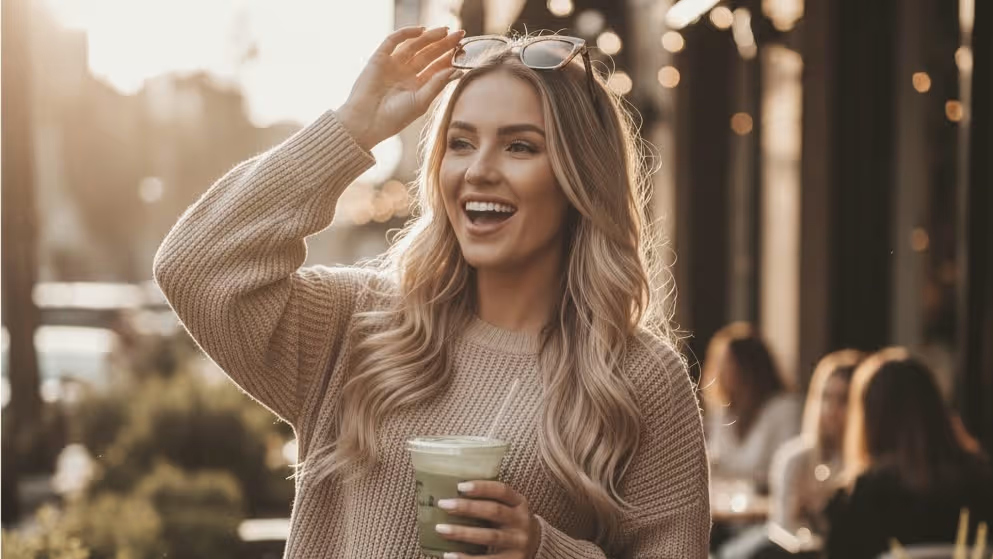
Drop an image here or click to upload
PNG, JPEG, or WebP · up to 10 MB
Or try a sample:
Loved by photographers, designers, and sellers worldwide
- No signup required
- No watermark
- Free daily enhancements
Creative Ways to Use Image Enhancer
Whether you're restoring family memories or preparing images for print, discover how creators use AI photo enhancement in their everyday workflow.
Old Photo Restoration
Got a box of faded, scratched family photos? Upload them to Image Enhancer to restore colors, remove damage, and bring decades-old memories back to life. Perfect for preserving heritage photos, creating family albums, or gifting restored prints.
Restore Old PhotosUpscale Image to 4K
Need a small image for a large print or poster? Image Enhancer AI upscaling enlarges photos to 4K or higher while preserving detail - no pixelation, no artifacts. Ideal for print projects, wall art, and high-resolution displays.
Upscale to 4KAnime & Illustration Upscaler
AI-optimized for anime, manga, and digital illustrations - upscale artwork without unwanted smoothing or artifacts. Keep line art sharp, colors vibrant, and styles intact at 2x to 8x resolution.
Upscale ArtworkColorize Black & White Photos
Transform monochrome photos into full-color images with AI that understands natural tones across skin, sky, fabric, and foliage. Bring historical photos, grandparents' portraits, and vintage shots to vivid life.
Colorize NowWhat is Image Enhancer?
Image Enhancer is a free AI image enhancer that lets you enhance image quality, upscale photos to 4K, fix blurry pictures, and restore old damaged images - all in one click. Powered by advanced AI models, it transforms low-quality photos into crystal clear, print-ready results without technical skills or software installation.
Image Quality Enhancer
Enhance clarity, color, and detail automatically for photos that look cleaner and sharper.
Photo Upscaling
Enlarge and increase image quality up to 8x without visible quality loss or pixelation.
Photo Restoration
Fix scratches, fading, and damage on old photos with AI-powered restoration workflows.
Smart Editing
Remove backgrounds, objects, and watermarks with AI tools in the same workflow.
How to Enhance Photo Quality in 3 Easy Steps
No technical skills needed. With Image Enhancer, just upload, enhance, download - it's that simple.
Upload Your Image
Drag and drop any photo - JPEG, PNG, WebP, or BMP. No account required, no software to install. Works right in your browser on any device.
Enhance Quality Automatically
Our AI analyzes your image and applies intelligent photo enhancement - sharpening details, reducing noise, boosting color, and upscaling resolution to improve image quality. Results in seconds, not minutes.
Download Your Enhanced Photo
Preview the before and after, then download your enhanced photo in full quality - up to 4K resolution, lossless, and print-ready. No watermark on free downloads.
Why Creators Choose Image Enhancer
See what makes this AI image enhancer different from ordinary photo enhancement tools. Built for anyone who wants to enhance image quality - fast, free, and without compromise.
10 Free Enhancements Every Day
No credit card, no watermark, no signup wall
Most free image enhancers hit you with watermarks, resolution caps, or forced signups after the first image. Image Enhancer gives you 10 free enhancements per day with full-quality output and no watermark - just upload and download. Perfect for quick fixes, social media posts, and trying AI enhancement before committing to a plan.
One Click, Nine Tools
Enhance, upscale, restore, remove - all in one place
Instead of juggling separate apps for upscaling, background removal, and color correction, use Image Enhancer to process image after image with nine AI tools in one platform. Upload once, apply multiple enhancements, download once. Ideal for photographers processing batches, e-commerce sellers preparing product shots, or anyone who needs more than one fix.
Up to 16K Resolution
From thumbnail to poster-quality in seconds
While most free tools cap at 2x upscaling, Image Enhancer supports up to 8x - turning small, low-resolution images into print-ready 4K, 8K, or even 16K output. AI preserves natural textures and avoids the plastic, over-processed look. Best for photos under 50MP.
Batch Processing
Enhance hundreds of photos at once
Upload an entire folder and let AI enhance everything with consistent results in a fraction of the time. Set your preferred enhancement level once and apply it across the batch. Built for e-commerce catalogs, event photographers, and content teams who need volume without sacrificing quality.
What Users Say About Image Enhancer
Hear from photographers, designers, and sellers who use Image Enhancer daily.
“I used to spend 20 minutes per product photo in Photoshop. Now I batch-enhance 200 images in under 5 minutes. The 4K upscaling is incredible — my Shopify listings look way more professional.”
“The old photo restoration blew me away. A client brought in water-damaged wedding photos from the 1970s, and Image Enhancer restored them better than I expected. Scratches gone, colors vivid. Now it's part of my workflow.”
“We process 50+ images daily for Instagram and TikTok. The batch processing saves us hours every week. Only thing I'd improve is adding video enhancement — that would be the dream.”
“I use Image Enhancer mostly for background removal and upscaling client logos. What used to take me 15 minutes in Photoshop — masking, feathering, exporting — now takes one click. The cutout quality is cleaner than I expected for a browser tool.”
“Smartphone photos from property tours never looked great until I ran them through Image Enhancer. The AI sharpens interiors, corrects lighting, and the 4K upscale makes every listing photo look like it was shot on pro gear.”
“I colorize and restore historical photos for my classroom blog. Students are way more engaged when they see a 1940s photo in full color instead of faded black and white. The colorizer isn't perfect on every photo, but 8 out of 10 times it nails the tones.”
“Low-light reception photos used to be throwaway shots — grainy, blurry, unusable. Now I run them through the AI image enhancer and it fixes the noise and sharpens faces without making them look over-processed.”
“I photograph vintage jewelry with my phone and the images always looked dull. Image Enhancer lets me enhance photo quality in one click — colors pop, details are crisp. My Etsy click-through rate went up about 20%.”
“I used to spend 20 minutes per product photo in Photoshop. Now I batch-enhance 200 images in under 5 minutes. The 4K upscaling is incredible — my Shopify listings look way more professional.”
“The old photo restoration blew me away. A client brought in water-damaged wedding photos from the 1970s, and Image Enhancer restored them better than I expected. Scratches gone, colors vivid. Now it's part of my workflow.”
“We process 50+ images daily for Instagram and TikTok. The batch processing saves us hours every week. Only thing I'd improve is adding video enhancement — that would be the dream.”
“I use Image Enhancer mostly for background removal and upscaling client logos. What used to take me 15 minutes in Photoshop — masking, feathering, exporting — now takes one click. The cutout quality is cleaner than I expected for a browser tool.”
“Smartphone photos from property tours never looked great until I ran them through Image Enhancer. The AI sharpens interiors, corrects lighting, and the 4K upscale makes every listing photo look like it was shot on pro gear.”
“I colorize and restore historical photos for my classroom blog. Students are way more engaged when they see a 1940s photo in full color instead of faded black and white. The colorizer isn't perfect on every photo, but 8 out of 10 times it nails the tones.”
“Low-light reception photos used to be throwaway shots — grainy, blurry, unusable. Now I run them through the AI image enhancer and it fixes the noise and sharpens faces without making them look over-processed.”
“I photograph vintage jewelry with my phone and the images always looked dull. Image Enhancer lets me enhance photo quality in one click — colors pop, details are crisp. My Etsy click-through rate went up about 20%.”
“I use the image upscaler to turn low-res screenshots into sharp 4K thumbnails. Before, my thumbnails looked pixelated next to bigger channels. Now they look just as clean. It's become part of my weekly thumbnail workflow.”
“Client presentation photos need to look flawless. I use Image Enhancer to sharpen image details on project photos — it brings out textures in fabrics, wood grain, tile patterns. Way faster than manual editing in Lightroom.”
“Honestly just needed a free AI image enhancer that works without signing up. Tried three other tools that all hit me with paywalls after one photo. This one actually gave me 10 free enhancements with no watermark.”
“Customers bring in tiny photos from Facebook and want poster-size prints. The resolution enhancer upscales them to print-ready quality without that ugly smoothed-out look. We've cut “sorry, your image is too small” rejections by half.”
“Restaurant lighting is the worst for food photography — everything comes out noisy and yellow. I enhance image quality with this tool and the noise reduction is honestly impressive. The colors look natural, not that oversaturated AI look.”
“Our team needed a quick pic enhancer for campaign assets — we don't have a dedicated designer. Image Enhancer handles everything from background removal to upscaling hero images for ads. Replaced two separate tools we were paying for.”
“I restore old family photos from the 1920s–1950s for my genealogy clients. The photo restoration tool fixes scratches and faded tones that I used to spend hours retouching manually. One client cried when she saw her grandmother's wedding photo restored.”
“Amazon's image requirements are strict — white background, high-res, no watermarks. The background remover gives me clean cutouts and the watermark remover handles supplier sample photos perfectly. I process my entire catalog through Image Enhancer every season.”
“I use the image upscaler to turn low-res screenshots into sharp 4K thumbnails. Before, my thumbnails looked pixelated next to bigger channels. Now they look just as clean. It's become part of my weekly thumbnail workflow.”
“Client presentation photos need to look flawless. I use Image Enhancer to sharpen image details on project photos — it brings out textures in fabrics, wood grain, tile patterns. Way faster than manual editing in Lightroom.”
“Honestly just needed a free AI image enhancer that works without signing up. Tried three other tools that all hit me with paywalls after one photo. This one actually gave me 10 free enhancements with no watermark.”
“Customers bring in tiny photos from Facebook and want poster-size prints. The resolution enhancer upscales them to print-ready quality without that ugly smoothed-out look. We've cut “sorry, your image is too small” rejections by half.”
“Restaurant lighting is the worst for food photography — everything comes out noisy and yellow. I enhance image quality with this tool and the noise reduction is honestly impressive. The colors look natural, not that oversaturated AI look.”
“Our team needed a quick pic enhancer for campaign assets — we don't have a dedicated designer. Image Enhancer handles everything from background removal to upscaling hero images for ads. Replaced two separate tools we were paying for.”
“I restore old family photos from the 1920s–1950s for my genealogy clients. The photo restoration tool fixes scratches and faded tones that I used to spend hours retouching manually. One client cried when she saw her grandmother's wedding photo restored.”
“Amazon's image requirements are strict — white background, high-res, no watermarks. The background remover gives me clean cutouts and the watermark remover handles supplier sample photos perfectly. I process my entire catalog through Image Enhancer every season.”
Creators Love Image Enhancer
Join photographers, sellers, and designers who enhance image quality with Image Enhancer every day.
Start free. Pay as you grow.
5 free credits on signup · enhance −1 · download −1.
- All core features
- Commercial use
- Export your results
- Standard generation speed
- Everything in Tier 1
- Priority generation speed
- Early access to new features
- Unlimited history
- Everything in Tier 2
- Fastest queue
- Team commercial license
- Priority support
Free plan: 5 credits on signup. No card required · cancel anytime.
Stay Updated with Image Enhancer
Get the latest AI image enhancement features, tips, and exclusive offers in your inbox.
More AI Image Tools from Image Enhancer
Free AI-powered tools to enhance, edit, and transform your photos.
Everything You Need to Know About Image Enhancer
Got another question? Email support@imgenhancer.net